


When Office 2019 Mac is read-only, Word, Excel and PowerPoint can still be opened and displayed, but no longer edited or saved. The trigger is an expiring code-signing certificate from Microsoft that ends on 13/07/2026 and will not be extended. Your documents remain fully intact in the process – only changing and saving is blocked. With a currently signed version of Office, you work without restrictions again.
 Microsoft Office
// Microsoft Office
(18 editions)
// Applications
(8 versions)
Help
Questions about installation? Let us help you – free of charge.

Daniel is happy to help
Mon–Fri 08 – 18
 Windows
// Windows
(12 Total)
// Frequently bought
Help
Questions about installation? Let us help you - free of charge.
Daniel is happy to help
Mon-Fri 8am - 6pm
K144
Office 2019 Mac Read-Only: What's Behind the Read-Only Mode
Office 2019 Mac read-only – When Word, Excel or PowerPoint suddenly only display your files but no longer allow saving, it's not a fault with your Mac. The background is an expiring certificate from Microsoft. Your documents remain fully intact in the process.
At a glance
From 13/07/2026, Office 2019 for Mac switches into a read-only mode. Opening and printing keep working; editing and saving are blocked.
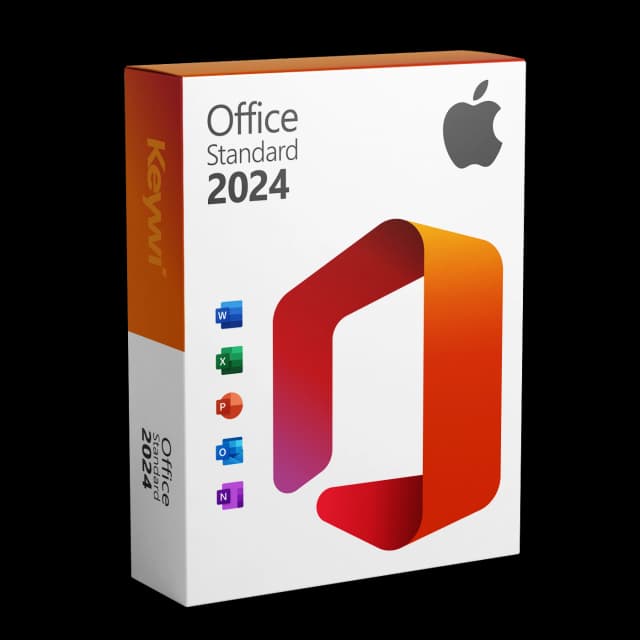
Office 2024 Standard for Mac
View productMicrosoft Office 2024 Standard Mac
Perpetual licence, no subscription: pay once, download immediately, use permanently.
GBP 119,00
What "read-only" means exactly in Office 2019 for Mac
Read-only means: the app opens your document quite normally and displays the full content. What no longer works is changing and saving. So you can still look things up, have content read aloud, present and print, but no longer save new input permanently. Microsoft enables this mode centrally via the expiring signature certificate, not via an update on your device.
- Opening and viewing: keeps working
- Printing and exporting as PDF: keeps working
- Editing and saving: blocked (read-only)
- Your existing files: remain unchanged and safe
Why your Office 2019 for Mac is suddenly read-only only
Every Mac app from Microsoft is signed with a certificate that confirms its authenticity. For Office 2019, this certificate expires on 13/07/2026 and will not be extended by Microsoft. Office 2019 already left regular mainstream support on 10/10/2023, so no new adjustments are planned. Without a valid signature, the apps allow only read access for security reasons. This is not a bug but planned behaviour at the end of the life cycle.
Am I affected? Office 2019 and non-updated 2021
Read-only mode affects Office 2019 for Mac entirely. In addition, it can affect older, non-updated versions of Office 2021 for Mac. Anyone who has regularly updated Office 2021 (version 16.83 or newer) is not affected. Here's how to classify your installation:
Version | Status from 13/07/2026 |
|---|---|
Office 2019 for Mac | becomes read-only |
Office 2021 for Mac, not updated | can become read-only |
Office 2021 for Mac, updated (≥ 16.83) | keeps running normally |
You'll find your exact version in an open Office app via the menu at the top under "About" or "About Word".
First steps: back up data and check the mode
Even though nothing is lost, it makes sense to proceed in an orderly way now. This is how you keep full access to your content:
- While editing still works: save and copy important documents cleanly once
- In read-only mode: print or export files as PDF for backup
- Check the installed version (via "About Word/Excel") to distinguish Office 2019 from updated 2021
- For permanent editing, switch to a current, signed version of Office
Permanent solution: Office 2024 Standard for Mac
For Word, Excel, PowerPoint and Outlook on your Mac to edit and save without restrictions again, you need a currently signed version of Office. Office 2024 Standard for Mac is the clean choice for this: a one-time purchase as a perpetual licence, with no subscription and no ongoing fees. The version is Microsoft-signed and therefore not affected by the expiring certificate. It is provided by download, so you can carry on working promptly. You then open and edit your existing documents just as before – in full rather than read-only.
Office 2024 Standard for Mac
View productMicrosoft Office 2024 Standard Mac
Perpetual licence, no subscription: pay once, download immediately, use permanently.
GBP 119,00
More guides
- Produkt
Office Mac error message: spotting the causes and solving them properly
Office Mac error messages explained clearly: activation, licence, certificate and read-only from 13 July 2026, including the matching solution for each.
- Produkt
Office 2019 Mac restricted mode: here's what's behind it
On 13/07/2026, Office 2019 for Mac switches into a restricted mode: files can only be opened, viewed and printed. We explain the reason and the solution.
- Produkt
Office Mac Licence Expired: What's Really Behind It
Office Mac licence expired? A perpetual licence doesn't expire. We separate the two real causes and show the clean route back to a full Office on the Mac.
- Produkt
Office Mac Keeps Crashing: Check the Causes and Fix It for Good
Office keeps crashing on your Mac? The most common causes are missing updates, macOS compatibility and damaged files. Here is how to diagnose the problem calmly and find the lasting, stable solution.
About Keywi24
Keywi24 is a Swiss online shop for verified pre-owned Microsoft and antivirus software licences. The team has in-depth market knowledge from over five years of experience. Our goal is not to become the largest licence shop, but the most trusted.
That’s why we don’t invest in marketing hype, but in 90 days of real technical support after every purchase. Legal basis: CJEU ruling C-128/11 (03.07.2012) and Art. 12 para. 2 URG.
Mon–Fri 08:00–18:00 CET+41 800 20 00 07 (free)Live chat response usually <5 min90-day money-back guarantee