




If your Office 2019 Mac won't start as usual or you suddenly can't save anything, it's usually not a real startup error. In the vast majority of cases, Word, Excel and PowerPoint still open but only let you read, view and print – the so-called read-only mode. The trigger is an expired Microsoft code-signing certificate that takes effect from 13 July 2026 and is not being renewed.
 Microsoft Office
// Microsoft Office
(18 editions)
// Applications
(8 versions)
Help
Questions about installation? Let us help you – free of charge.

Daniel is happy to help
Mon–Fri 08 – 18
 Windows
// Windows
(12 Total)
// Frequently bought
Help
Questions about installation? Let us help you - free of charge.
Daniel is happy to help
Mon-Fri 8am - 6pm
K127
Office 2019 Mac won't start or only opens read-only? Here's what's behind it
Office 2019 Mac won't start or only opens read-only? Apps launch, but saving and editing no longer work? That's the read-only mode caused by the expired certificate – not a fault on your Mac. Here you'll learn how to check it and fix it permanently with Office 2024 for Mac.
At a glance
Office 2019 for Mac opens but won't save any more? The cause is usually the read-only mode from 13 July 2026. Here's how to check and fix it.
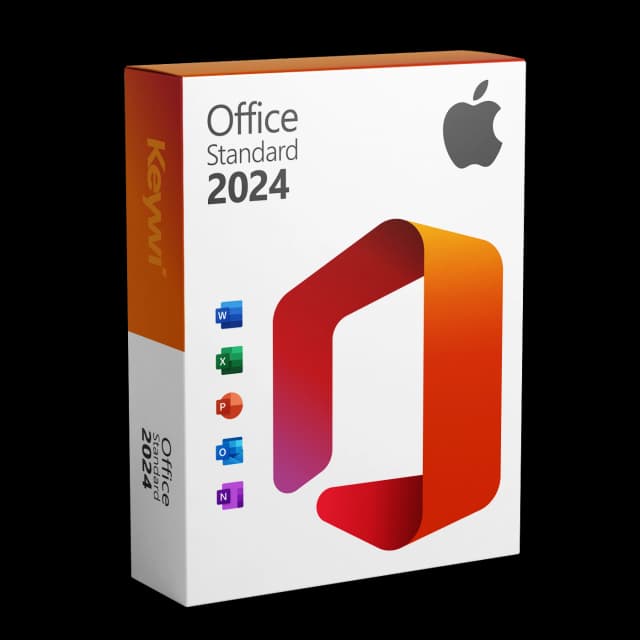
Office 2024 Standard for Mac
View productMicrosoft Office 2024 Standard Mac
Perpetual licence, no subscription: pay once, download immediately, use permanently.
GBP 119,00
Certificate expiry or a real startup error – which is it really?
Many people search for “Office 2019 Mac won't start” but mean something else: the apps usually still launch, you just can't edit or save documents any more. That's the read-only mode, triggered by the expired Microsoft code-signing certificate on the cut-off date of 13 July 2026.
- Read-only (most common case): Word, Excel, PowerPoint and Outlook open, you can read, view and print – but not save or edit.
- Real startup error (rarer): the app crashes immediately or doesn't open at all. Here a restart, update or reinstall often helps.
- Affected is Office 2019 for Mac as well as un-updated Office 2021 for Mac. An updated Office 2021 (version 16.83 or newer) is not affected for now.
What to check first: macOS and Office version
Before you change anything, take a quick look at which version you're actually using. That tells you whether the read-only mode is the cause or whether another problem is at play.
- Office version: open an app and go to the app menu (e.g. Word > About Word). If it says 2019 or an un-updated 2021, the read-only mode is the likely cause.
- macOS version: under the Apple menu > “About This Mac” you can see your macOS version. Very old systems can cause additional problems.
- Date: the certificate expiry takes effect from 13 July 2026. If the behaviour appears exactly from that period, it's a clear sign.
- Office 2019 for Mac already left mainstream support on 10 October 2023 – so an update won't fix the read-only mode permanently.
The permanent solution: Microsoft Office 2024 Standard for Mac
Since Microsoft is not renewing the certificate for Office 2019, switching to a current version is the clean route. Office 2024 Standard for Mac is a one-time purchase – a perpetual licence without a subscription, so no monthly costs. You get Word, Excel, PowerPoint and Outlook, Microsoft-signed, via download, and you can immediately save and edit normally again.
Feature | Office 2019 for Mac | Office 2024 Standard for Mac |
|---|---|---|
Licence model | one-time purchase (perpetual licence) | one-time purchase (perpetual licence), no subscription |
Saving & editing from 13/07/2026 | read-only – not possible | fully usable |
Included apps | Word, Excel, PowerPoint, Outlook | Word, Excel, PowerPoint, Outlook |
Security updates | support ended | within the Microsoft lifecycle |
Delivery | — | Microsoft-signed, via download |
Does it run on your Mac? System requirements
- Office 2024 for Mac runs on Apple Silicon (M1, M2, M3 and newer) as well as on Intel Macs.
- A supported macOS version is required – usually the current one and the two preceding ones.
- Installation is done via download; a DVD or USB stick is not needed.
- You can remove an existing Office 2019 installation once Office 2024 is set up.
Carrying over your data: your documents stay compatible
Your existing files won't be lost. You can continue to open and edit existing .docx, .xlsx and .pptx documents in Office 2024 quite normally – the formats remain compatible.
- Your files still sit locally or in your cloud storage – Office 2024 simply accesses them.
- Open a document that was previously read-only in Office 2024 and save it normally again.
- You set up Outlook accounts and settings anew; exporting existing data beforehand is recommended.
Office 2024 Standard for Mac
View productMicrosoft Office 2024 Standard Mac
Perpetual licence, no subscription: pay once, download immediately, use permanently.
GBP 119,00
More guides
- Produkt
Office Mac error message: spotting the causes and solving them properly
Office Mac error messages explained clearly: activation, licence, certificate and read-only from 13 July 2026, including the matching solution for each.
- Produkt
Office 2019 Mac restricted mode: here's what's behind it
On 13/07/2026, Office 2019 for Mac switches into a restricted mode: files can only be opened, viewed and printed. We explain the reason and the solution.
- Produkt
Office Mac Licence Expired: What's Really Behind It
Office Mac licence expired? A perpetual licence doesn't expire. We separate the two real causes and show the clean route back to a full Office on the Mac.
- Produkt
Excel Mac Can't Save: Causes and Solution
Excel Mac can't save: from 13/07/2026 Office 2019 and non-updated Office 2021 for Mac switch to read-only mode. How to identify the cause and solve the problem permanently.
About Keywi24
Keywi24 is a Swiss online shop for verified pre-owned Microsoft and antivirus software licences. The team has in-depth market knowledge from over five years of experience. Our goal is not to become the largest licence shop, but the most trusted.
That’s why we don’t invest in marketing hype, but in 90 days of real technical support after every purchase. Legal basis: CJEU ruling C-128/11 (03.07.2012) and Art. 12 para. 2 URG.
Mon–Fri 08:00–18:00 CET+41 800 20 00 07 (free)Live chat response usually <5 min90-day money-back guarantee