




Word won't open on Mac – this problem almost always has a manageable cause and can be narrowed down quickly in most cases. Sometimes a process is just stuck in the background, sometimes an update is missing or the operating system is too old for your Office version. It can also be due to a corrupted file or a faulty program profile. And since 2026 a new factor has been added: with Office 2019 and un-updated Office 2021, a certificate expires that restricts further operation. In this article you'll work through the causes step by step and find, at the end, a version that runs without such pitfalls.
 Microsoft Office
// Microsoft Office
(18 editions)
// Applications
(8 versions)
Help
Questions about installation? Let us help you – free of charge.

Daniel is happy to help
Mon–Fri 08 – 18
 Windows
// Windows
(12 Total)
// Frequently bought
Help
Questions about installation? Let us help you - free of charge.
Daniel is happy to help
Mon-Fri 8am - 6pm
K147
Word won't open on Mac: find the causes and fix them
Word won't open on Mac – When Word acts up on the Mac, it's usually down to something minor: a hung process, a pending update or an outdated macOS version. We go through the most common causes one by one. We also clarify why the certificate expiry on 13 July 2026 affects older Office versions – and how to get lasting peace of mind.
At a glance
Word won't open on your Mac? Triage of the most common causes plus the 2026 certificate expiry for Office 2019/2021 – and the clean permanent solution.
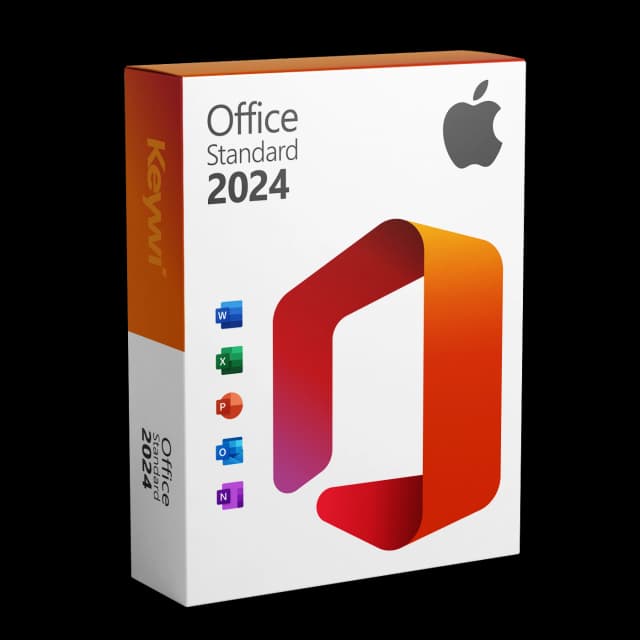
Office 2024 Standard for Mac
View productMicrosoft Office 2024 Standard Mac
Perpetual licence, no subscription: pay once, download immediately, use permanently.
GBP 119,00
The most common causes at a glance
When Word doesn't respond on the Mac or closes again straight away, a structured look pays off. Most problems can be assigned to one of these groups: a hung process, an outdated program or system version, a corrupted file or setting. It's best to work through the points from top to bottom before you intervene more deeply.
- Hung process: Word can't be closed cleanly and no longer responds.
- Missing update: an older program version doesn't get along with the current macOS.
- Outdated macOS: the installed Office version requires a newer system version.
- Corrupted file or profile: a particular file or the program settings are faulty.
- Certificate expiry 2026: with Office 2019/2021 an expired certificate restricts operation.
Quick triage in four steps
These four steps resolve a large share of cases. You don't need any expert knowledge for them, just a little patience and a stable internet connection for the updates.
- Restart: quit Word via the Apple menu > 'Force Quit', select Word and restart it. If that doesn't help, restart the Mac completely.
- Check for updates: open another Office app and go to 'Help' > 'Check for Updates'. Install all available updates.
- Check the macOS version: under 'About This Mac', check whether your system meets the requirements of your Office version.
- Rule out corruption: if Word opens normally without a file, the problem is probably with a single file. Test it individually via 'File' > 'Open'.
The 2026 certificate expiry as a new cause
Since 2026 there's a reason that has nothing to do with classic troubleshooting. The code-signing certificate of Office 2019 for Mac expires on 13 July 2026 and will not be renewed. An un-updated Office 2021 for Mac is affected too. The apps generally still launch afterwards, but switch to a read-only mode: Word, Excel, PowerPoint and Outlook can only be opened, viewed and printed – editing and saving are no longer possible.
Version | Status after 13/07/2026 |
|---|---|
Office 2019 for Mac | Read-only – only open, view, print |
Office 2021 (not updated) | Read-only – affected |
Office 2021 (updated, from 16.83) | Safe – fully usable |
Office 2024 for Mac | Current and usable without restrictions |
Office 2019 already left mainstream support on 10 October 2023. Anyone using Office 2021 should therefore install all updates first – from version 16.83 onwards this version is not affected.
The permanently working solution
If your Word problems go back to an outdated Office version or you want to get ahead of read-only mode, a version change is the cleanest solution. Office 2024 Standard for Mac is the current generation: a one-time purchase as a perpetual licence, without a subscription and without ongoing costs. You receive the software via download and install it with a valid key and your Microsoft account.
This way you avoid the certificate expiry entirely and work with a version that's tuned to current macOS. Word, Excel, PowerPoint and Outlook remain usable without restrictions – with no further changes needed for the foreseeable future.
Office 2024 Standard for Mac
View productMicrosoft Office 2024 Standard Mac
Perpetual licence, no subscription: pay once, download immediately, use permanently.
GBP 119,00
More guides
- Produkt
Excel Mac Can't Save: Causes and Solution
Excel Mac can't save: from 13/07/2026 Office 2019 and non-updated Office 2021 for Mac switch to read-only mode. How to identify the cause and solve the problem permanently.
- Produkt
Word Mac can't save: causes and solution
Word on the Mac no longer saving? We separate the ordinary save error from the read-only mode starting 13 July 2026 and show the clean way forward.
- Produkt
Office Mac Won't Activate – Here's What Helps
Office for Mac won't activate? Check the most common causes and fix them step by step – including a note on the certificate expiry of older versions.
- Produkt
Office 2019 for Mac no longer works — what to do?
Office 2019 for Mac runs in read-only mode: opening and printing yes, saving no. The cause and the immediate way back to full Office use.
About Keywi24
Keywi24 is a Swiss online shop for verified pre-owned Microsoft and antivirus software licences. The team has in-depth market knowledge from over five years of experience. Our goal is not to become the largest licence shop, but the most trusted.
That’s why we don’t invest in marketing hype, but in 90 days of real technical support after every purchase. Legal basis: CJEU ruling C-128/11 (03.07.2012) and Art. 12 para. 2 URG.
Mon–Fri 08:00–18:00 CET+41 800 20 00 07 (free)Live chat response usually <5 min90-day money-back guarantee