




With Office one-time purchase vs subscription on Mac, it comes down to a simple question: pay once and use it for good, or keep paying for a subscription. The one-time purchase means Office 2024 as a perpetual licence with no subscription; the subscription is Microsoft 365 with monthly or yearly fees. Which option makes more sense on your Mac depends mainly on whether you need cloud features and multiple devices.
 Microsoft Office
// Microsoft Office
(18 editions)
// Applications
(8 versions)
Help
Questions about installation? Let us help you – free of charge.

Daniel is happy to help
Mon–Fri 08 – 18
 Windows
// Windows
(12 Total)
// Frequently bought
Help
Questions about installation? Let us help you - free of charge.
Daniel is happy to help
Mon-Fri 8am - 6pm
K134
Office one-time purchase vs subscription on Mac: which licence is worth it on your Mac?
Office one-time purchase vs subscription on Mac – pay once and use it for good, or pay monthly for the cloud? We compare Office 2024 as a one-time purchase against the Microsoft 365 subscription – objectively, with a clear cost logic over five years, so you can make the right decision for your Mac.
At a glance
Office 2024 (one-time purchase, perpetual licence) versus Microsoft 365 (subscription) on the Mac: cost, cloud/OneDrive and updates in a neutral comparison.
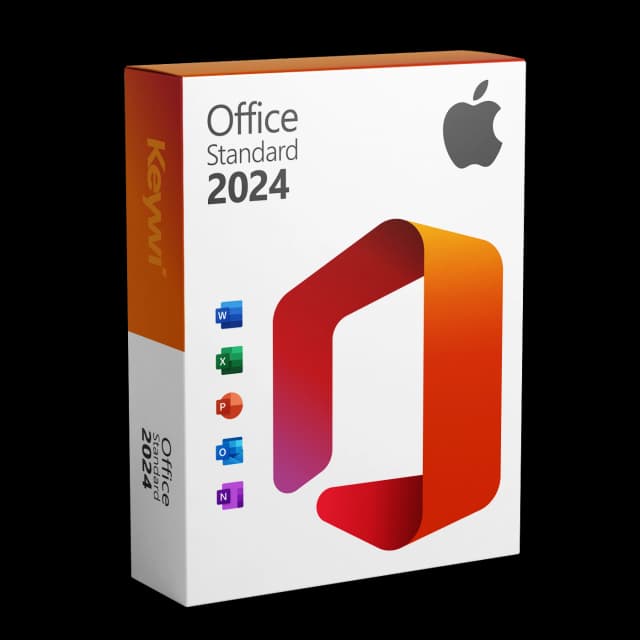
Office 2024 Standard for Mac
View productMicrosoft Office 2024 Standard Mac
Perpetual licence, no subscription: pay once, download immediately, use permanently.
GBP 119,00
One-time purchase or subscription: the difference in brief
The one-time purchase is a perpetual licence: you pay once and keep using the programs with no expiry date. The subscription (Microsoft 365) runs for as long as you pay – if the payments stop, the apps switch to a restricted mode.
- One-time purchase: Office 2024 Standard for Mac, paid once, no subscription, available instantly via download.
- Subscription: Microsoft 365, monthly or yearly, including cloud storage and ongoing feature updates.
- Both include Word, Excel, PowerPoint and Outlook for Apple Silicon and Intel.
Office one-time purchase vs subscription on Mac: the comparison
Criterion | One-time purchase (Office 2024) | Subscription (Microsoft 365) |
|---|---|---|
Payment model | One-time, fixed amount | Ongoing monthly or yearly |
Usage term | Permanent, no expiry date | Only during the paid period |
Cost over 5 years | Fixed one-time amount, no further costs after that | Adds up year after year |
Cloud storage (OneDrive) | Not included | Included |
Updates | Security updates within the Microsoft lifecycle | Ongoing feature and security updates |
Devices | Usable on one Mac | Multiple devices depending on the plan |
Apps | Word, Excel, PowerPoint, Outlook | Word, Excel, PowerPoint, Outlook and more |
The cost logic is the heart of it: with the one-time purchase you pay a fixed amount and nothing more after that. With the subscription, the fees add up over five years – in return you get cloud storage and continuous feature updates.
It runs on your Mac
Office 2024 Standard for Mac runs natively on Apple Silicon (M chips) and on Intel Macs. On the M chips the programs work as native apps and respond smoothly, with no detour via Rosetta. Your existing files stay compatible:
- Word, Excel, PowerPoint and Outlook as native Mac apps.
- You can continue to open and edit existing .docx, .xlsx and .pptx files as normal.
- Installation via download with a Microsoft-signed setup file, no subscription account needed.
Why Office 2019 and un-updated 2021 are becoming relevant now
On 13 July 2026, the code-signing certificate for Microsoft Office 2019 for Mac expires and is not renewed. Word, Excel, PowerPoint and Outlook still start afterwards, but switch to a read-only mode.
- Read-only means: documents can be opened, viewed and printed – but no longer edited or saved.
- An un-updated Office 2021 for Mac is affected too; an updated 2021 (version 16.83 or higher) is not affected for the time being.
- Office 2019 already left mainstream support on 10 October 2023.
Anyone who works purely with Office on the Mac solves this permanently with the one-time purchase of Office 2024 – without switching to an ongoing subscription.
Conclusion: when a one-time purchase, when a subscription
For pure Office users on the Mac, the one-time purchase is worth it: you pay once, use Word, Excel, PowerPoint and Outlook for good, and have no ongoing costs. That is exactly what makes the cost logic predictable – after the purchase, you know that no further monthly fees will be added.
The subscription makes sense if you need cloud storage (OneDrive), ongoing feature updates or multiple devices. If you only care about the classic Office programs on one Mac, the Office 2024 perpetual licence is the calmer and more predictable choice.
Office 2024 Standard for Mac
View productMicrosoft Office 2024 Standard Mac
Perpetual licence, no subscription: pay once, download immediately, use permanently.
GBP 119,00
More guides
Microsoft 365 vs. Office 2024 for Mac
Microsoft 365 (subscription) or Office 2024 for Mac (one-time purchase)? Cost over five years, feature scope and a clear assessment for Mac users.
LibreOffice vs Office Mac: The Honest Comparison for Your Mac
A neutral comparison of LibreOffice and Microsoft Office for Mac: strengths, weaknesses and the clear recommendation for everyone who needs genuine MS Office compatibility.
Office Alternative for Mac: The Options Compared
Microsoft 365, LibreOffice, Apple iWork and Office 2024 (one-time purchase) for the Mac compared neutrally – with a note on the read-only cut-off date of 13 July 2026.
Mac Office 2021 vs 2024 compared
Office 2021 vs Office 2024 for Mac: features, macOS support, read-only risk and currency – compared concisely, with a clear assessment for new buyers.
About Keywi24
Keywi24 is a Swiss online shop for verified pre-owned Microsoft and antivirus software licences. The team has in-depth market knowledge from over five years of experience. Our goal is not to become the largest licence shop, but the most trusted.
That’s why we don’t invest in marketing hype, but in 90 days of real technical support after every purchase. Legal basis: CJEU ruling C-128/11 (03.07.2012) and Art. 12 para. 2 URG.
Mon–Fri 08:00–18:00 CET+41 800 20 00 07 (free)Live chat response usually <5 min90-day money-back guarantee